
I spent an entire weekend once trying to design a custom insect model by hand, filling notebook pages with failed crease attempts before I finally tried dedicated software and watched the same shape click into place in under an hour. That's the real power of origami design software, turning what used to be pure trial and error into something far more predictable.
In this guide, you'll learn which software tools actually help design crease patterns, what TreeMaker does specifically, whether software can generate a full pattern from a shape you choose, and how much of origami design still happens by hand even with these tools available.
This guide is Part of Origami Materials & Tools Guide, a broader resource covering everything from paper selection to the digital tools shaping modern origami design.
Why Origami Design Software Exists
Designing an original origami model by hand is genuinely hard. You're essentially reverse engineering geometry, figuring out how a flat square can fold into legs, wings, or petals without any cuts or gluing to help you cheat the shape into place.
Crease pattern design tools grew out of that difficulty, giving designers a way to test fold arrangements digitally before committing to actual paper. Instead of guessing and re-folding sheet after sheet, software lets you map out creases, check for structural problems, and refine proportions long before you pick up your first piece of paper.
What origami design software typically helps with:
- Mapping crease patterns, laying out fold lines mathematically before physical folding begins
- Testing structural feasibility, checking whether a proposed pattern will actually fold flat
- Simulating fold sequences, previewing how a design behaves through multiple folding stages
- Generating base shapes, calculating simplified structures based on desired points and limbs
What Software Can Help Design Origami Crease Patterns?
A handful of tools have become genuine standards in the origami design community, each suited to slightly different parts of the design process.
|
Tool |
Primary Use |
Best Suited For |
|
TreeMaker |
Generating base shapes from stick figures |
Designers starting new models from scratch |
|
Origami Simulator |
Testing fold behavior digitally |
Verifying crease patterns before folding |
|
Oripa |
Drawing and editing crease patterns |
Detailed pattern refinement and analysis |
|
Freeform Origami |
Adjusting 3D fold shapes interactively |
Sculptural and curved fold design work |
What software can help design origami crease patterns? These four tools cover most of what a designer needs, from initial base generation through to detailed pattern refinement and digital fold testing.
I'd recommend starting with just one tool rather than jumping between all four immediately. TreeMaker tends to be the most approachable starting point, since it focuses on a single clear task, generating a base shape from a simple stick figure sketch.

Photo Credit: Ketut Subiyanto
What Is TreeMaker Used for in Origami Design?
TreeMaker solves one specific problem, figuring out how to arrange flaps and points on a square sheet so they match a desired base shape, like an insect with six legs or an animal with four limbs and a tail.
How TreeMaker generally works:
- You sketch a stick figure, representing the basic structure you want, legs, arms, wings, or similar points.
- You assign relative lengths, telling the software how long each limb should be compared to the others.
- The software calculates a base, working out how that stick figure can theoretically fit onto a square sheet of paper.
- You review the generated crease pattern, checking whether the proposed layout looks foldable and proportionate.
- You refine and export, adjusting limb lengths or angles until the base matches your original vision closely enough to fold.
This process genuinely changed how complex insect and animal models get designed. Before tools like TreeMaker existed, working out multi legged bases by hand could take experienced designers days of careful trial and error.
Can Software Generate an Origami Crease Pattern From a Desired Shape?
To a meaningful extent, yes, though it's worth understanding what "generate" actually means here. Software like TreeMaker doesn't design a finished model for you. It calculates a mathematically valid base structure based on the points and proportions you specify.
What software generation actually provides:
- A structurally sound base, confirming your desired points can theoretically fit on one sheet
- Proportional guidance, showing roughly how paper area divides between different limbs or features
- A starting crease pattern, giving you a foundation to refine rather than a finished design
What software generation does not provide:
- Fine surface details, like textures, facial features, or decorative folds
- Aesthetic judgment about whether a shape actually looks convincing
- The final folding sequence needed to physically execute the pattern
I've found this distinction trips up a lot of newer designers. The software hands you skeleton geometry, but turning that skeleton into a model people recognize still takes genuine design skill and plenty of hands on refinement.
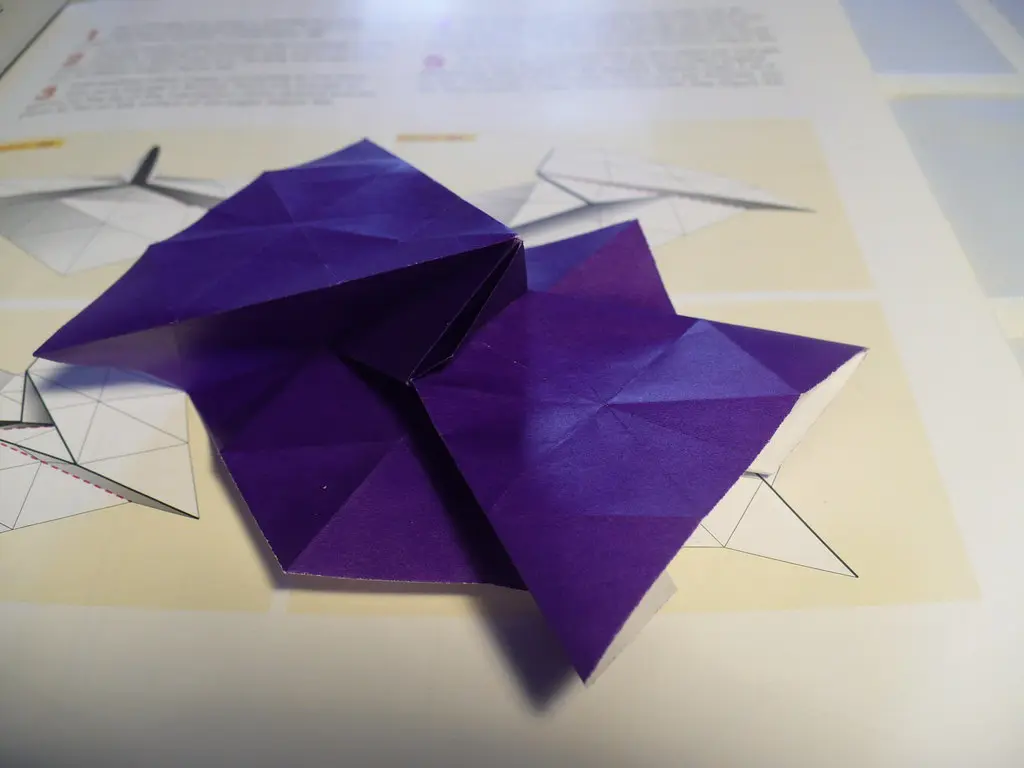
For folders wanting to see how crease patterns translate into a broader design vocabulary, the Origami Crease Pattern Reference breaks down common pattern types and what different line markings actually represent.
Photo Credit: Internet
Do Origami Designers Still Design Models by Hand?
Absolutely, and honestly, most experienced designers still consider hand folding an essential part of the process, even when software played a role earlier on.
Where hand folding remains essential:
- Verifying real paper behavior, since software simulations don't always match how actual paper handles thickness and layers
- Refining aesthetic details, adding the small touches that make a model feel finished rather than purely structural
- Testing different paper weights, checking how a design performs on kami versus thicker specialty paper
- Developing folding sequences, working out the actual step order a human folder will follow
As folders often say, the paper never lies. It only shows you exactly where a fold went wrong.
Software can predict a lot, but it can't fully replace that direct feedback from paper in your hands. I've had crease patterns look flawless on screen, only to reveal awkward layer buildup the moment I actually started folding.
This blend of digital planning and hands on refinement shows up clearly in more specialized design work too. Origami Sekkei: Architectural Origami relies on exactly this mix, using precise planning tools alongside genuine hands on folding to achieve believable structural results.
What Is the Difference Between a Crease-Pattern Tool and Step-by-Step Diagram Software?
These two categories of software solve genuinely different problems, and mixing them up is a common source of confusion for folders new to digital design tools.
Crease pattern tools:
- Focus on the underlying fold structure and geometry
- Show all creases at once, as they'd appear on a fully unfolded sheet
- Used primarily during the design phase, before a folding sequence exists
- Examples include TreeMaker, Oripa, and Freeform Origami
Step-by-step diagram software:
- Focuses on presenting folds in a clear, sequential order for other folders
- Shows one fold at a time, similar to traditional printed diagrams
- Used primarily after a design is finished, to teach others how to fold it
- Often includes arrows, shading, and numbered instructions
What is the difference between a crease-pattern tool and step-by-step diagram software? Put simply, crease pattern tools help you design the model, while diagram software helps you teach others to fold the model you've already finished designing. Both matter, but they serve completely different stages of the process.
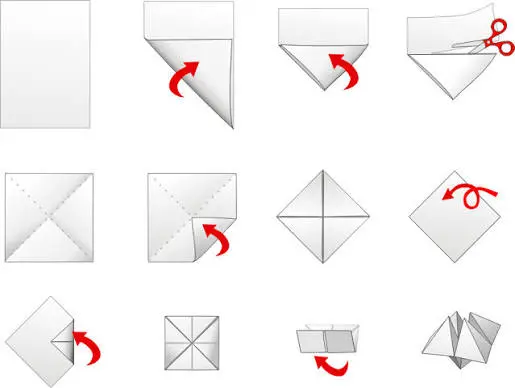
Photo Credit: Internet
Pro Tips for Using Origami Design Software
A few habits make the transition into digital design noticeably smoother, especially if you're used to designing purely by hand.
- Start with simple bases first. Complex multi limbed shapes are much easier to troubleshoot once basic proportions feel familiar.
- Always test fold your generated pattern. A structurally valid pattern on screen doesn't guarantee smooth folding in real paper.
- Save incremental versions. Small adjustments in limb length or angle can dramatically change a base, so keep earlier versions accessible.
- Cross check with real paper weight. Thin kami and thicker specialty paper behave differently, even from an identical crease pattern.
- Don't skip the refinement stage. Generated bases are starting points, not finished designs, treat them accordingly.
Frequently Asked Questions
What software can help design origami crease patterns? TreeMaker, Origami Simulator, Oripa, and Freeform Origami are among the most widely used tools, each suited to different stages of the design process.
What is TreeMaker used for in origami design? TreeMaker generates a base shape from a stick figure sketch, calculating how points like legs or wings can fit onto a single square sheet.
Can software generate an origami crease pattern from a desired shape? Yes, to an extent. Software can calculate a structurally valid base, but refining it into a finished, recognizable model still requires hands on design work.
Do origami designers still design models by hand? Yes, most designers combine software planning with hands on folding, since paper behavior and aesthetic refinement still require direct physical testing.
What is the difference between a crease-pattern tool and step-by-step diagram software? Crease pattern tools help design the underlying fold structure, while diagram software presents a finished design as sequential steps for other folders.
Final Thoughts
Origami design software genuinely speeds up the hardest part of creating original models, but it works best paired with real paper and real hands on testing. Start with a simple base in TreeMaker, fold it out physically, and you'll quickly see how digital planning and traditional folding skill actually complement each other.
Ready to explore more foundational tools and techniques? Read the full origami guide for other resources and projects worth trying next.






Leave a Reply