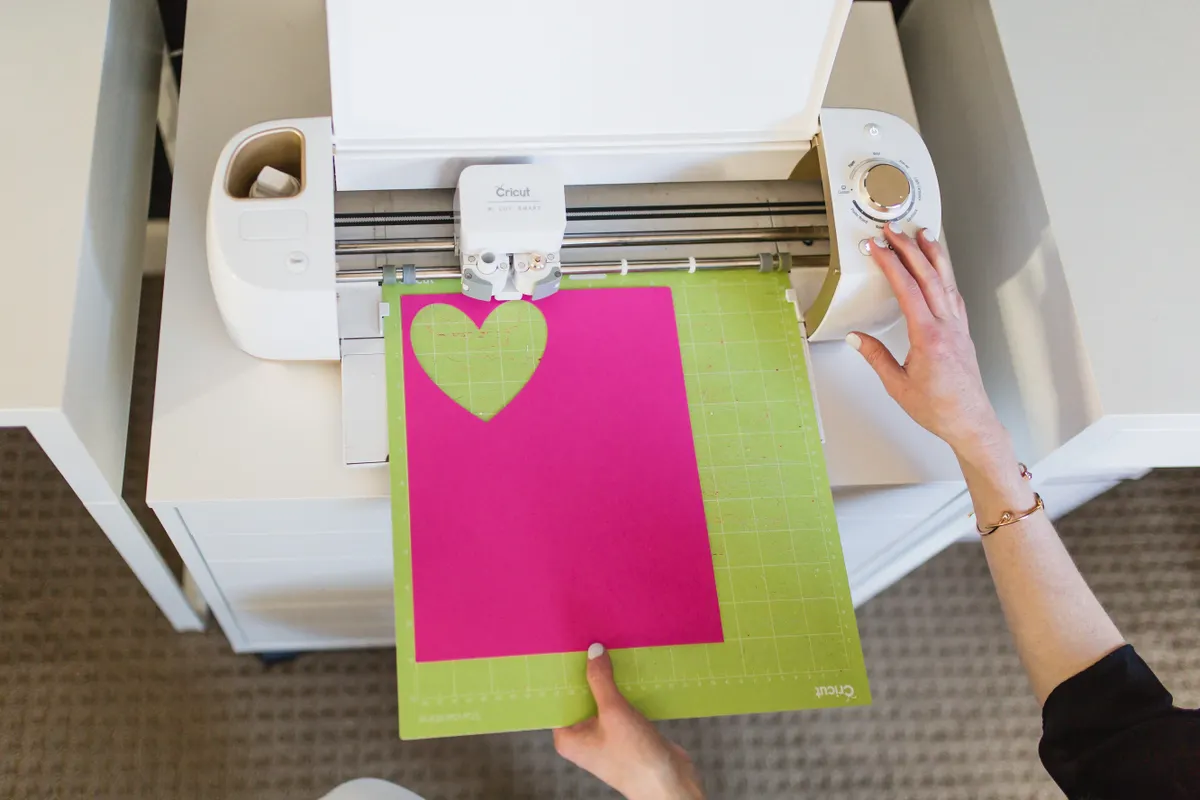
I spent almost two years hand-cutting the same intricate shapes over and over before I finally caved and bought an electronic cutting machine, and I still remember thinking I could've saved weeks of my life if I'd bought it sooner. Paper crafting machines don't replace a craft knife or a steady hand, but for repeated or complex shapes, they change what's realistically possible on a crafting desk.
These machines have become a normal part of card making, scrapbooking, and layered paper sculpture for good reason. This article is Part of Paper Crafts Materials & Tools Guide, so once you understand how these machines work, deciding if one belongs on your desk gets a lot easier.
Why Paper Crafting Machines Matter
Hand-cutting works fine for one-off shapes, but it falls apart fast once a project calls for the same intricate design repeated a dozen times. Precision also suffers over repeated cuts since hands get tired and lines drift slightly with every pass.
Paper crafting machines solve both problems at once. They use digital designs and a mechanical blade to cut the exact same shape, with the exact same precision, every single time.
I've kept both a craft knife and a cutting machine on my desk for years now, and they genuinely serve different purposes. The machine handles repetition and complexity, while the knife still wins for quick, single cuts and last-minute adjustments.
What Is a Paper Crafting Cutting Machine Used For
An electronic cutting machine reads a digital design file and guides a small blade across paper or cardstock, cutting the shape out automatically instead of by hand.
Common uses include:
- Intricate die cuts, like lace patterns or detailed silhouettes too fine to cut by hand reliably.
- Repeated shapes, producing dozens of identical pieces for scrapbook layouts or card sets.
- Custom lettering and monograms, cutting precise text in any font available on the machine's software.
- Layered paper sculpture pieces, where multiple identical or near-identical layers need to stack perfectly.
- Score lines for folding, since many machines include a scoring tool alongside the cutting blade.
These machines work alongside your existing tools rather than replacing them. A die cutting machine comparison across a full toolkit usually shows the electronic machine handling volume and precision, while hand tools still cover quick fixes and detail work a machine can't easily manage.
For a fuller picture of where these machines fit among scissors, craft knives, and manual die-cutting presses, Cutting Tools for Paper Crafts breaks down the full range of cutting options available to paper crafters.

Photo Credit: Hobby Guidebook Editorial
Is a Cricut Worth It for Paper Crafting
Whether a Cricut is worth the investment really depends on how often you'd actually use it. For occasional crafters making a handful of cards a month, the cost can feel hard to justify. For anyone doing repeated or detailed projects regularly, it often pays for itself in saved time alone.
Reasons a Cricut tends to be worth it:
- Saves significant time on repeated or intricate shapes
- Produces consistent, professional-looking results every time
- Handles fonts and custom designs beyond typical hand-cutting skill
Reasons it might not be worth it yet:
- Represents a real upfront cost compared to a craft knife and cutting mat
- Comes with a learning curve for the design software
- Isn't necessary for simple, low-volume projects
I'd suggest trying a few projects with hand tools first before buying a machine. It's much easier to appreciate what a Cricut actually saves you once you've felt the time and effort hand-cutting the same shapes takes.
What Is the Difference Between Cricut and Silhouette Machines
Cricut vs Silhouette is one of the most common comparisons beginners run into, and both brands make solid electronic cutting machines with a few real differences worth knowing.
|
Feature |
Cricut |
Silhouette |
|
Design software |
Cricut Design Space, simpler for beginners |
Silhouette Studio, more advanced features |
|
Material library |
Larger built-in material settings |
Smaller but still broad range |
|
Blade options |
Fine point and deep cut blades |
Similar range, plus specialty blades |
|
Ease of setup |
Very beginner friendly |
Slightly steeper learning curve |
|
Community and tutorials |
Extremely large user base |
Large, but slightly smaller than Cricut |
Cricut tends to win on beginner friendliness, since its software walks new users through projects step by step. Silhouette tends to appeal more to crafters who want deeper design control once they're past the beginner stage.
Neither brand is objectively better across the board. It really comes down to how much control you want over the design process versus how much guidance you'd like along the way.
For a deeper side-by-side breakdown of features, pricing tiers, and long-term usability, Cricut vs Silhouette covers the comparison in far more detail than a single section here can.

Photo Credit: RDNE Stock project
Which Cutting Machine Is Best for Beginners
For most beginners, ease of setup and software matter more than advanced features they won't use right away.
- Start with beginner-friendly software. Cricut Design Space is widely considered the easier starting point, with guided project templates built in.
- Choose a smaller, less expensive model first. Entry-level machines from either brand handle most beginner projects fine without the cost of a top-tier version.
- Look for strong tutorial support. A large community of tutorials and project guides makes troubleshooting far less frustrating early on.
- Consider your project types. Simple card making needs less machine power than detailed layered sculpture or intricate lettering work.
- Test with free design files first. Most brands offer free starter designs, which is a low-risk way to learn the software before investing in paid designs.
A cutting machine only saves time once you actually understand the software. The first few projects always take longer than expected, and that's normal, not a sign you bought the wrong machine.
Give yourself a few practice projects before judging whether the machine was a good investment. Almost everyone I know who owns one, myself included, found the first week frustrating and the following months genuinely worth it.
What Cardstock Can Electronic Cutting Machines Cut
Most electronic cutting machines handle a wide range of cardstock weights, though the right blade and settings matter for clean results.
|
Cardstock Weight |
Machine Compatibility |
Notes |
|
Lightweight (65 to 80 lb) |
Excellent |
Cuts cleanly with standard fine point blade |
|
Medium (90 to 110 lb) |
Good |
May need deep cut blade for detailed shapes |
|
Heavy (120+ lb) |
Fair |
Often requires a deep cut blade and slower cut speed |
|
Specialty (glitter, metallic) |
Good with adjustments |
Needs specific machine settings to avoid dulling blades faster |
Heavier cardstock and specialty papers like glitter cardstock need adjusted settings compared to plain lightweight paper. Running a heavy cardstock through on standard settings often results in torn edges or a blade that drags instead of slicing cleanly.
Testing a small scrap piece before committing to a full project saves both material and frustration. I still do this with every new cardstock type, even after years of using a machine, since even similar-looking papers can behave differently once the blade hits them.
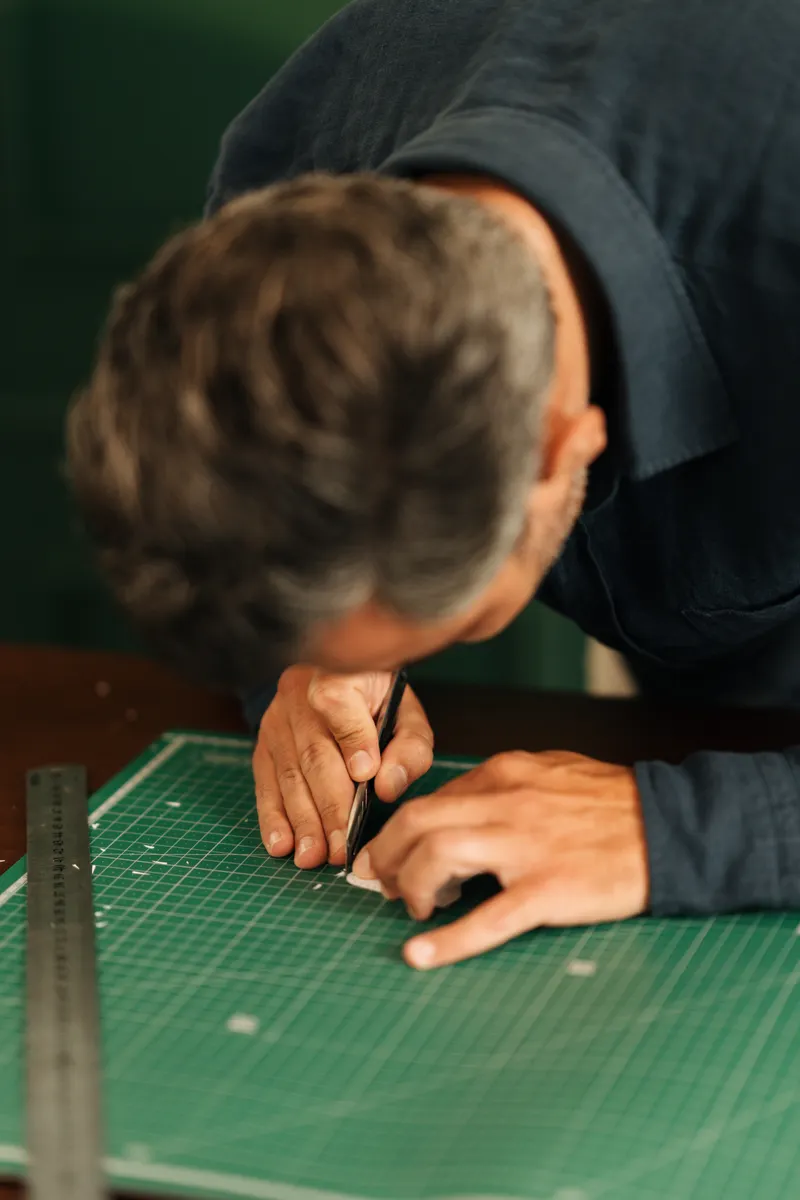
Photo Credit: Gül Işık
Do I Need a Computer to Use a Paper Crafting Machine
Not necessarily, though it depends on the specific machine and how you plan to use it. Most modern electronic cutting machines connect to smartphone apps as well as computer software, letting you design and send cuts directly from a phone or tablet.
- Computer software typically offers more design tools and a larger workspace for complex projects.
- Mobile apps work well for simpler designs and are often enough for basic card making or small shapes.
- Bluetooth connectivity on most current machines means neither a computer nor a direct cable connection is strictly required.
For basic projects, a smartphone and the machine's app are genuinely enough. Once designs get more complex, though, a computer's larger screen and more detailed software usually makes the process noticeably smoother.
Common Paper Crafting Machine Mistakes to Avoid
A few habits tend to cause the most frustration for beginners working with these machines.
- Using the wrong blade for the material, causing torn edges or a blade that drags instead of cutting cleanly.
- Skipping test cuts on new cardstock, wasting a full sheet on settings that needed adjusting.
- Ignoring mat maintenance, since a worn out sticky mat causes paper to shift mid-cut and ruin the design.
- Rushing through software tutorials, missing features that would save time on future projects.
- Forcing heavy cardstock through at default speed settings, which strains the blade and shortens its lifespan.
FAQ
What is a paper crafting cutting machine used for? These machines cut intricate, repeated, or complex shapes from paper and cardstock automatically, handling designs like lace patterns, custom lettering, and layered sculpture pieces far faster than hand-cutting.
Is a Cricut worth it for paper crafting? It's worth it for anyone doing repeated or detailed projects regularly, since it saves significant time, though occasional crafters with simple projects may not need one right away.
What is the difference between Cricut and Silhouette machines? Cricut tends to be more beginner friendly with guided software, while Silhouette offers deeper design control, appealing more to crafters ready for advanced features.
Which cutting machine is best for beginners? Entry-level machines with beginner-friendly software, like Cricut Design Space, tend to work best for beginners due to their guided templates and large tutorial community.
What cardstock can electronic cutting machines cut? Most machines handle lightweight to heavy cardstock and specialty papers like glitter cardstock, though heavier and specialty papers often need a deep cut blade and adjusted settings.
Do I need a computer to use a paper crafting machine? No, most machines connect to smartphone apps for basic projects, though a computer offers more design tools for complex work.
Final Thoughts
Paper crafting machines earn their place on a crafting desk once repeated or intricate shapes become a regular part of your projects. Start small, expect a short learning curve, and let the machine handle the repetition while your hands stay focused on the finer details.
Read the full paper crafts guide for a wider look at materials and techniques across every paper craft.




Leave a Reply